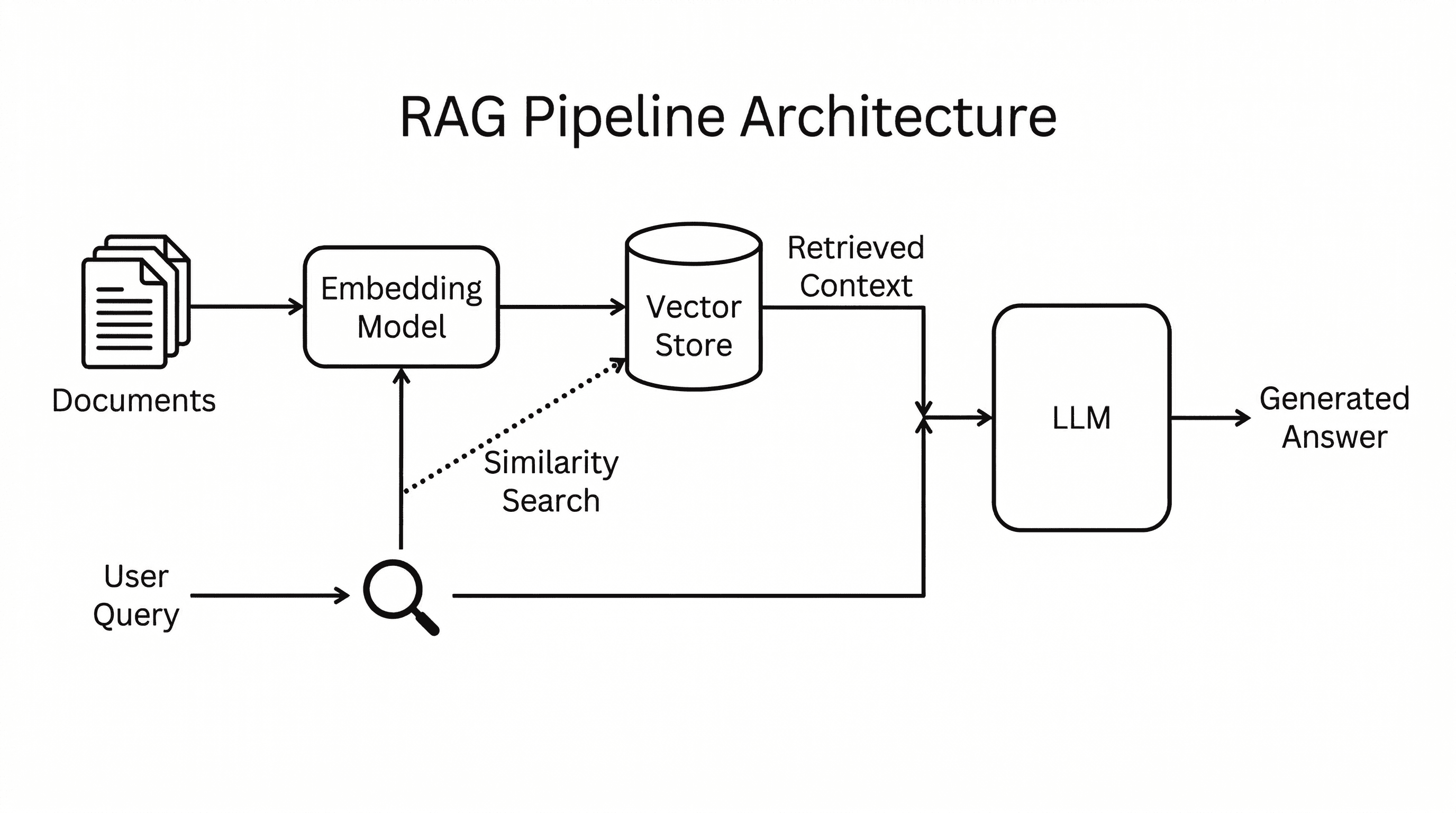
Most people start a knowledge base project by thinking about retrieval. They reach for embeddings, vector databases, chunking strategies, and search APIs before they have a clear workflow for turning raw material into useful knowledge.
There is a simpler way to start.
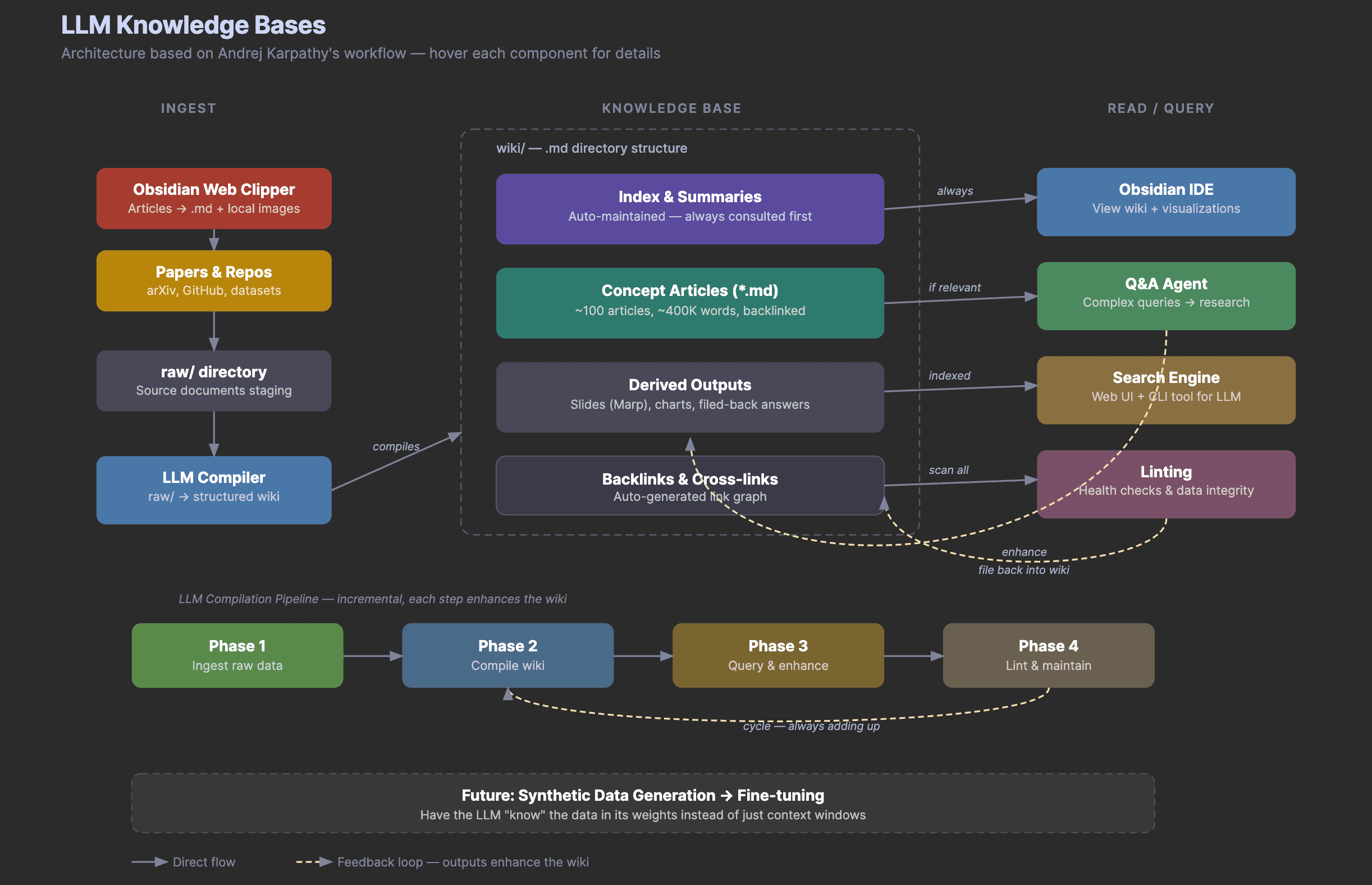
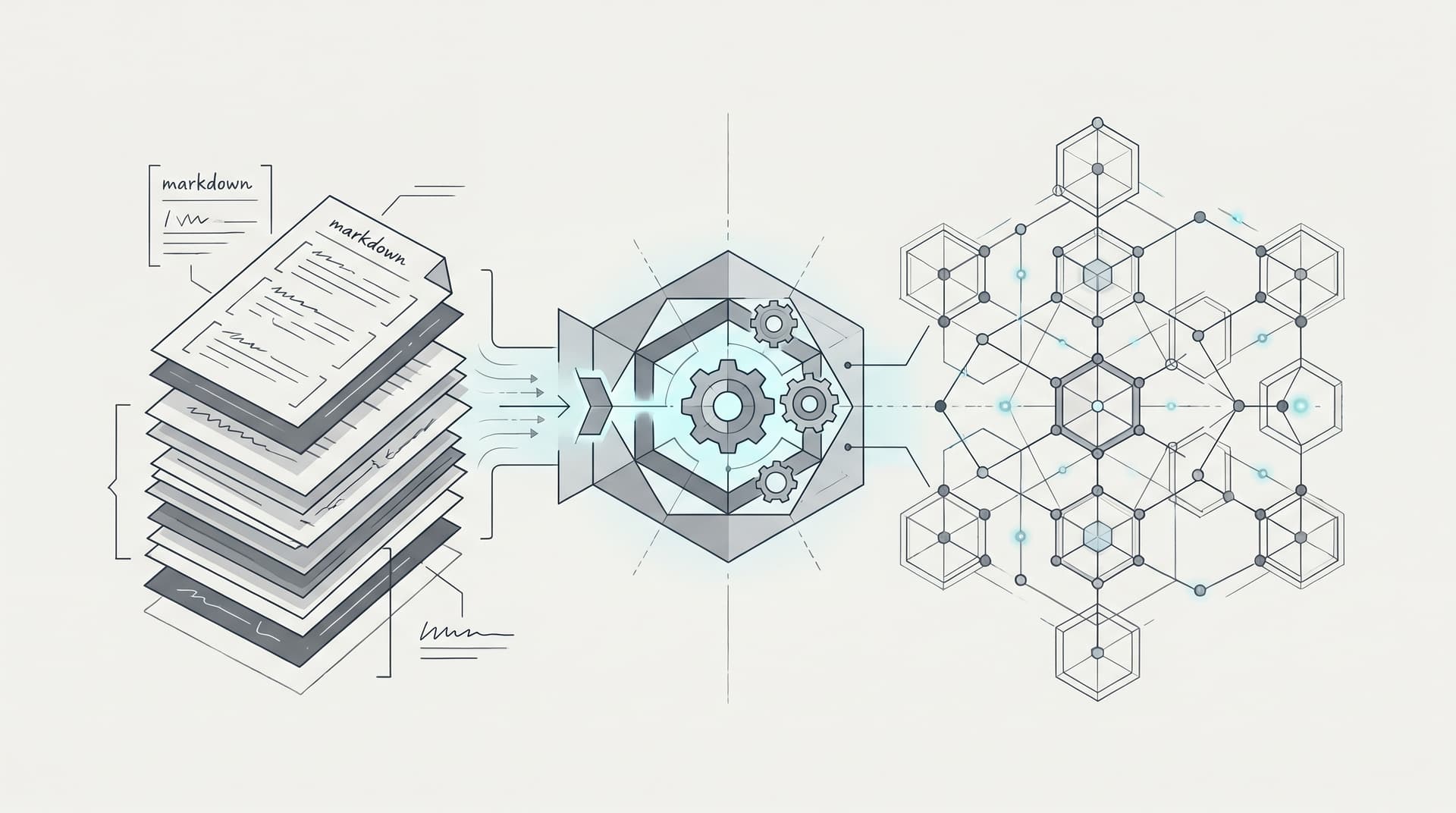
You can treat an LLM as a compiler. The source material lives in a raw/ folder. The compiled output lives in a wiki/ folder. Every useful answer, outline, summary, or chart gets filed back into the knowledge base so the system improves over time.
This is the practical version of the LLM knowledge base architecture we covered in the earlier article on LLM Knowledge Bases. In that post, we looked at the architecture. In this one, we will build a small working version.
The example uses three weekly summary tables from the AI Papers of the Week collection. The goal is not to index the entire repository. The goal is to show the workflow with enough source material to make the pattern clear.
The Intuition
A traditional RAG system retrieves chunks when you ask a question. An LLM knowledge base does something different. It asks the model to read raw sources and compile them into durable wiki pages.
That means the knowledge base is not just a pile of documents. It becomes a structured workspace with indexes, paper pages, concept pages, reading paths, and filed-back research answers.
At small scale, this is often enough. You do not need a vector database to understand three weekly summaries, eleven paper pages, and a few concept maps. You need a disciplined folder structure and a repeatable compiler prompt.
The Folder Structure
Here is the workshop version of the setup.
llm-knowledge-base-demo/
  raw/
    ai-papers-of-the-week/
  wiki/
    index.md
    papers/
    concepts/
    trends/
    maps/
    questions/
  derived/
  prompts/
The raw/ folder is where source material lands first. This can be a web article, a paper summary, a GitHub README, meeting notes, transcript excerpts, or a weekly research digest.
The wiki/ folder is what the LLM compiles. It contains the structured knowledge base that humans and agents can browse.
The derived/ folder stores outputs from later queries. This might include a live event outline, a reading roadmap, a chart idea, or a draft answer to a research question.
The prompts/ folder stores the repeatable instructions that turn the workflow into a process instead of a one-off chat.
Step 1
Start by putting a few source notes into raw/. For this demo, the raw notes are actual weekly summary sections from AI Papers of the Week.
One source note includes papers on long-horizon research agents, production agent evaluation, memory transfer, and reusable web-agent skills. Another includes papers on context compression, memory managers, neural computers, and agent benchmark verification.
The important part is that the raw notes are not polished. They are staging material. The LLM reads them and turns them into something more structured.
Step 2
Ask the agent to compile an index.
The index is the front door of the wiki. It should tell a reader where to start, which paper pages exist, which concept pages exist, and what still needs work.
In the demo, the compiled wiki/index.md points to pages like these.
wiki/papers/aiscientist.md
wiki/papers/memento.md
wiki/papers/alphaeval.md
wiki/papers/autogenesis.md
wiki/papers/deepseek-v4.md
wiki/papers/neural-computers.md
wiki/papers/skill-rag.md
wiki/papers/stateless-decision-memory.md
wiki/papers/universal-verifier.md
wiki/concepts/file-as-bus.md
wiki/concepts/context-compression.md
wiki/maps/research-map.md
This is already more useful than the raw notes. A reader can start from the index, jump into a paper, move into a concept, and follow links to related ideas.
Step 3
Create one page per important paper.
A good paper page should not be a full paper summary. It should explain why the paper matters, what the key ideas are, and how it connects to the rest of the wiki.
For example, the AiScientist page is useful because it introduces file-mediated coordination for long-horizon research agents. That connects directly to the knowledge base design because the whole demo uses the filesystem as the durable state layer.
The Memento page is useful because it explains context compression. The DeepSeek V4 page adds the model-side version of the same problem by showing how long-context systems need compressed attention to stay practical.
The Autogenesis and Stateless Decision Memory pages are useful because they show why an LLM knowledge base should be auditable. If agents are going to improve tools, compile pages, or file answers back into a workspace, the system needs durable state, lineage, and recoverable decisions.
Step 4
Create concept pages across papers.
This is where the wiki becomes more valuable than a list of summaries.
A paper page answers what one source says. A concept page answers what multiple sources are starting to say together.
In the demo, the strongest concepts are File-as-Bus, Context Compression, Agent Memory, and Production Agent Evaluation.
These pages connect papers that would otherwise sit apart. AiScientist, Autogenesis, and Stateless Decision Memory become connected through durable state. Memento, DeepSeek V4, Neural Computers, and Skill-RAG become connected through context and memory management. AlphaEval and Universal Verifier become connected through production agent evaluation.
Step 5
Ask a real question and file the answer back into the wiki.
A good demo question is this.
What should builders read first if they want to understand agent memory and long-running research agents?
The agent can answer by reading the index, paper pages, and concept pages. Then it files the answer into wiki/questions/what-should-builders-read-first.md.
This is the feedback loop that matters. The answer does not disappear into chat history. It becomes part of the knowledge base.
Step 6
Run a maintenance pass.
The linting agent should look for thin pages, missing backlinks, duplicated concepts, uncompiled raw notes, and useful questions that should become permanent pages.
This is the step that makes the knowledge base feel alive. New raw material enters the system. The compiler updates the wiki. The Q&A agent files useful outputs. The maintenance pass finds the next improvements.
Why This Works
The workflow works because it turns reading into an accumulating process.
Normally, you read a paper, ask a few questions, and lose most of the output in scattered notes or chat logs. With this setup, every useful output has a place to go.
The LLM is not just answering questions. It is maintaining a small research environment.
What This Looks Like In Practice
For the live workshop, the demo lives in the dair-workshops repository.
The first version includes raw weekly summary tables, a compiled wiki, concept pages, paper pages, reusable compiler prompts, and a live event outline.
You can use the same pattern for any research area. AI papers are just a clean example because they naturally produce recurring concepts, fast-moving trends, and practical reading paths.
The Bigger Lesson
An LLM knowledge base is not about storing more information. It is about making the information easier to reuse.
The simplest version only needs markdown files and an agent that follows a repeatable loop.
- Ingest raw sources.
- Compile structured wiki pages.
- Query the wiki.
- File useful outputs back into the system.
- Lint and maintain the structure.
That loop is enough to turn a folder of notes into a working research companion.
We will go deeper on this in the live session on Building LLM Knowledge Bases, where we will walk through the setup and show how the pieces fit together.