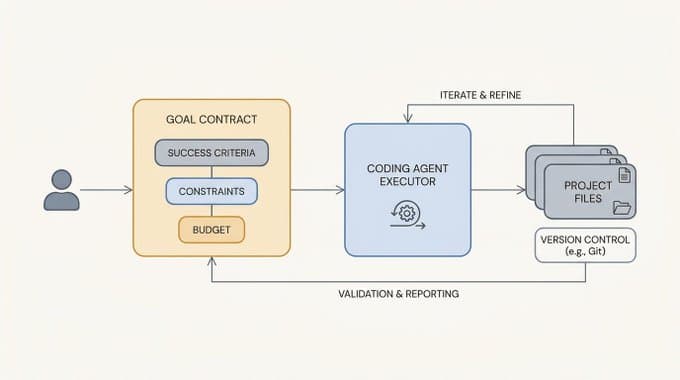
In two earlier posts I walked through the idea of LLM knowledge bases and then how to build one by hand using nothing more than markdown files, a few prompts, and an agent that follows a repeatable loop. The pattern works well, but every time I started a new knowledge base I found myself recreating the same folder layout, the same prompt files, and the same maintenance log from scratch.
That friction is the reason I built Wiki Builder, a small open-source Claude Code plugin that takes the LLM-knowledge-base workflow and turns it into a one-command setup.
What Wiki Builder Does
Wiki Builder is a skill you install once into Claude Code. After that, you can ask Claude to start a new wiki, and it will scaffold a clean folder layout, drop in a per-wiki config file, and seed the prompts for compiling pages, filing answers, and linting the structure. From that point on, the agent reads the local config first and adapts its behavior to the wiki you are working on.
The skill is intentionally general. Rather than hardcoding a single wiki layout, every wiki carries its own wiki.config.md that captures purpose, audience, page types, and update rules. A wiki on agent memory looks different from a wiki on a single arXiv paper, and both look different from a knowledge base profiling a company. Same plugin, different flavors.
The supported flavors out of the box are research, paper, domain, product, person, organization, and project. You pass the flavor when you scaffold the wiki and the templates adjust accordingly.
The Intuition
If you read the hand-built version of this workflow, the loop should already feel familiar.
- Drop raw source material into
raw/. - Ask the agent to compile structured pages into
wiki/. - Ask questions, and file the answers back into the wiki under
wiki/questions/. - Run a maintenance pass that looks for thin pages, missing backlinks, and uncompiled raw notes.
Wiki Builder does not replace that loop. It just removes the setup tax. You stop rebuilding scaffolding for every new topic and start putting energy into the part that actually matters, which is reading sources and shaping pages.
Showcase: The Agentic Engineering Wiki
Instead of explaining the plugin in the abstract, I will show what it produced for a real project.
Last week I used Wiki Builder to bootstrap the Agentic Engineering Wiki, a community-driven reference for developers building AI agents. The starting prompt was something like "create a wiki on agentic engineering using the research flavor." From there, the agent loop took over.
After a few hours of iteration, the wiki contained:
- 51 actionable tips across 7 categories (tool use, prompting, evaluation, reliability, memory, orchestration, deployment)
- 9 company profiles covering Anthropic, OpenAI, Google DeepMind, Meta, Mistral, Cohere, DeepSeek, Stripe, and Modal
- 10 paper summaries distilled for practitioners
- 14 open-source tool entries
- A community section of curated HN and Reddit highlights
- A timeline of agentic engineering developments
Every claim links back to a source. Speculation is marked. The structure is fully navigable from wiki/index.md. None of that required custom tooling beyond the plugin itself.
The same loop works for whatever you point it at. I have used the same skill to start wikis on evaluation, agent memory, and a few client-research projects.
How It Works Under the Hood
Wiki Builder ships three things.
A scaffolding script. init_wiki.sh creates the folder layout, renders templates, and copies the prompt files. By default it writes to ~/dair-wikis/<slug>, but you can override the location with the WIKI_ROOT environment variable or a --root flag.
A set of prompt templates. The plugin includes reusable prompts for compiling an index, compiling source pages, compiling concept pages, querying and filing answers, and linting the wiki. These live in each wiki's prompts/ folder so you can edit them without touching the global skill.
A SKILL.md that teaches Claude the workflow. The skill file tells Claude when to use the plugin, where to put new wikis, how to read the per-wiki config before making changes, and what the quality bar is for compiled pages. Provenance is non-negotiable, every claim ties back to sources.md.
The folder layout for a new wiki looks like this.
agentic-engineering-wiki/
├── wiki.config.md
├── raw/
├── wiki/
│   └── index.md
├── derived/
├── prompts/
│   ├── compile-index.md
│   ├── compile-source-page.md
│   ├── compile-concept-page.md
│   ├── query-and-file.md
│   └── lint-wiki.md
├── logs/
│   └── maintenance-log.md
└── sources.md
You can add wiki/papers/, wiki/concepts/, wiki/people/, wiki/tools/, or any other folder the local config calls for. The skill does not insist on a fixed shape.
Installation
The plugin lives in the DAIR Academy Plugins marketplace. To install it, add the marketplace once and then pull in the plugin.
/plugin marketplace add dair-ai/dair-academy-plugins
/plugin install wiki-builder@dair-academy-plugins
After that, you can ask Claude Code things like "start a new wiki on agent memory using the research flavor" or "ingest these arXiv papers into my evaluation wiki and compile a concept page." Claude resolves the task, reads the target wiki's config, and follows the loop.
If you would rather scaffold by hand, you can call the script directly.
bash "${CLAUDE_PLUGIN_ROOT}/skills/wiki-builder/scripts/init_wiki.sh" \
  agent-memory \
  --title "Agent Memory" \
  --flavor research
Why I Like Building This Way
Most tooling for "LLM knowledge bases" reaches for embeddings, vector databases, and retrieval pipelines on day one. That is the right answer at scale. At the scale where most of us actually live, where you have a few dozen papers, a handful of company writeups, and some HN threads, a structured markdown wiki maintained by a coding agent gets you most of the way there.
The win comes from making the workflow durable. Every useful answer the agent produces has a place to land. The wiki accumulates. Future questions are cheaper because the answer often already exists, written down, with sources attached.
Wiki Builder is just the first version. I will keep iterating on the templates and adding flavors as I run into new use cases. If you build something with it, I would love to see it.
Watch the Walkthrough
I recorded a live session showing how to use the plugin end to end on a real topic, including the prompts I run and the maintenance loop I follow after the first compile. You can watch the walkthrough on DAIR Academy.
Try It
The plugin is open source under MIT. Source code, README, and the LICENSE all live in the DAIR Academy Plugins marketplace.
If you are starting a research wiki, a paper deep-dive, or a knowledge base for an internal project, give it a spin. The setup takes about a minute. The wiki you build with it might end up being the most useful thing in your tooling for months.